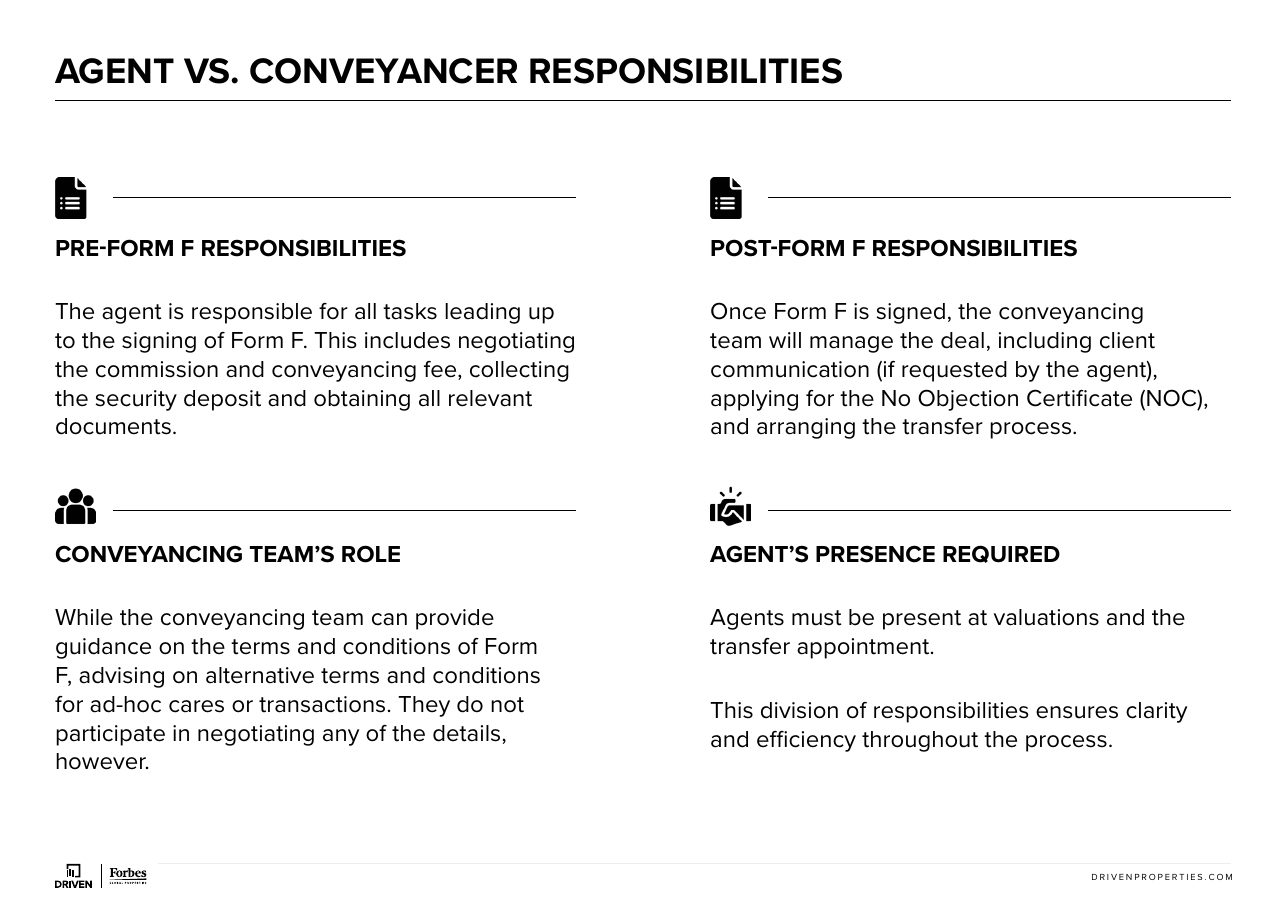
Access the opportunity
- 1
Navigate to your opportunities and locate the relevant client.
- 2
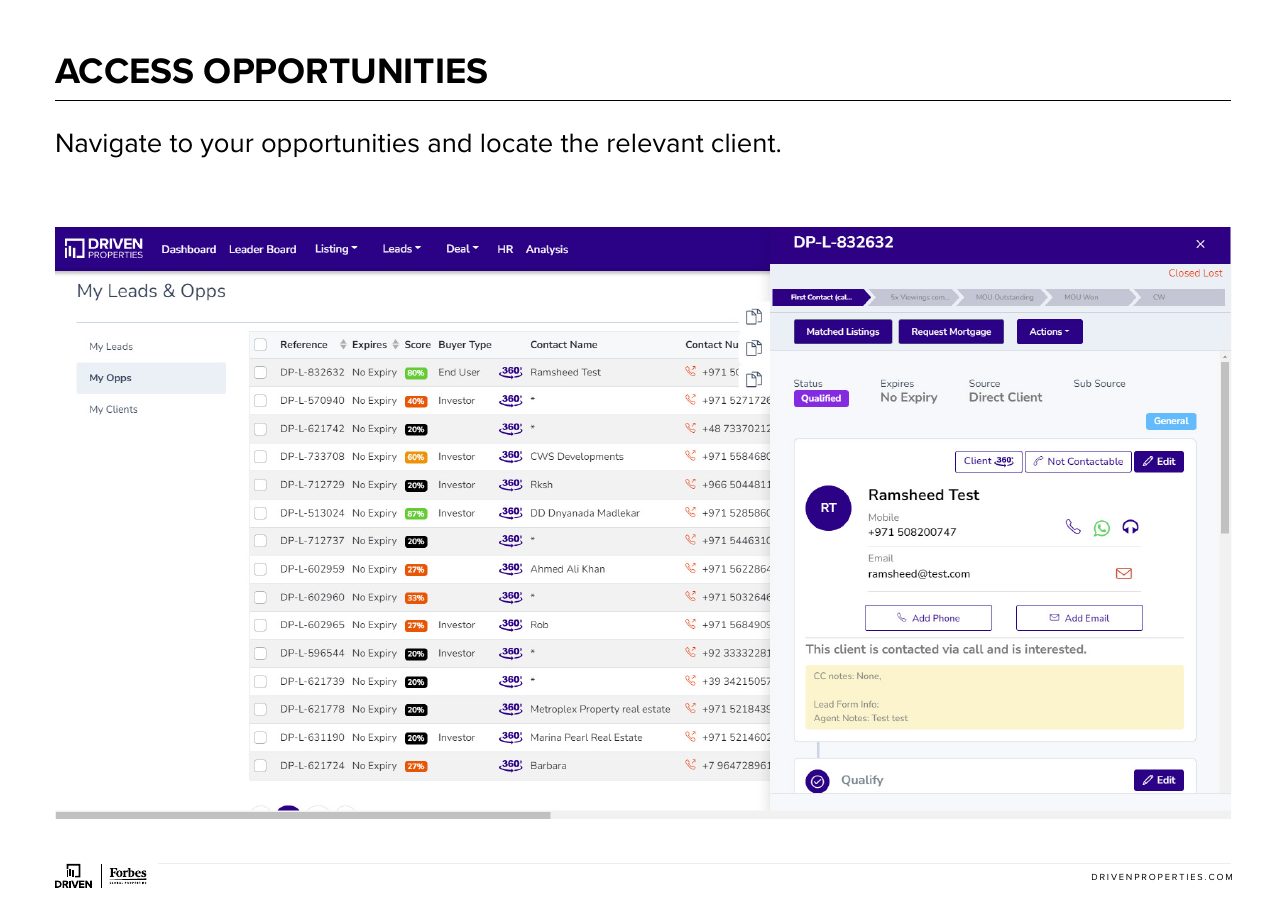
Confirm that you are in the appropriate funnel stage, such as “5x viewings complete.”
- 3
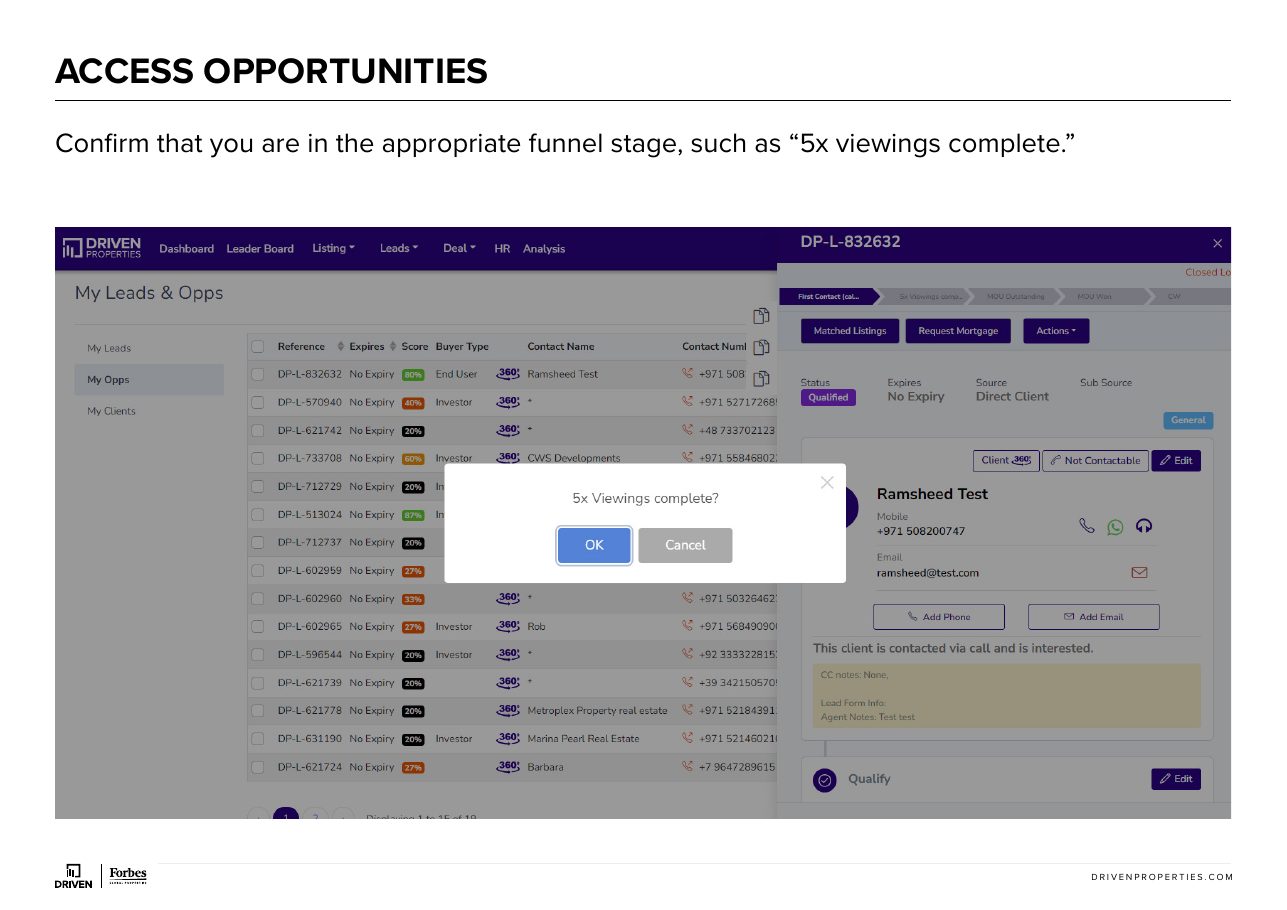
Ensure that the viewing that is attached to the offer is at the correct date and time. Please note, at least one viewing must be attached to the opportunity for the property under offer.
- 4
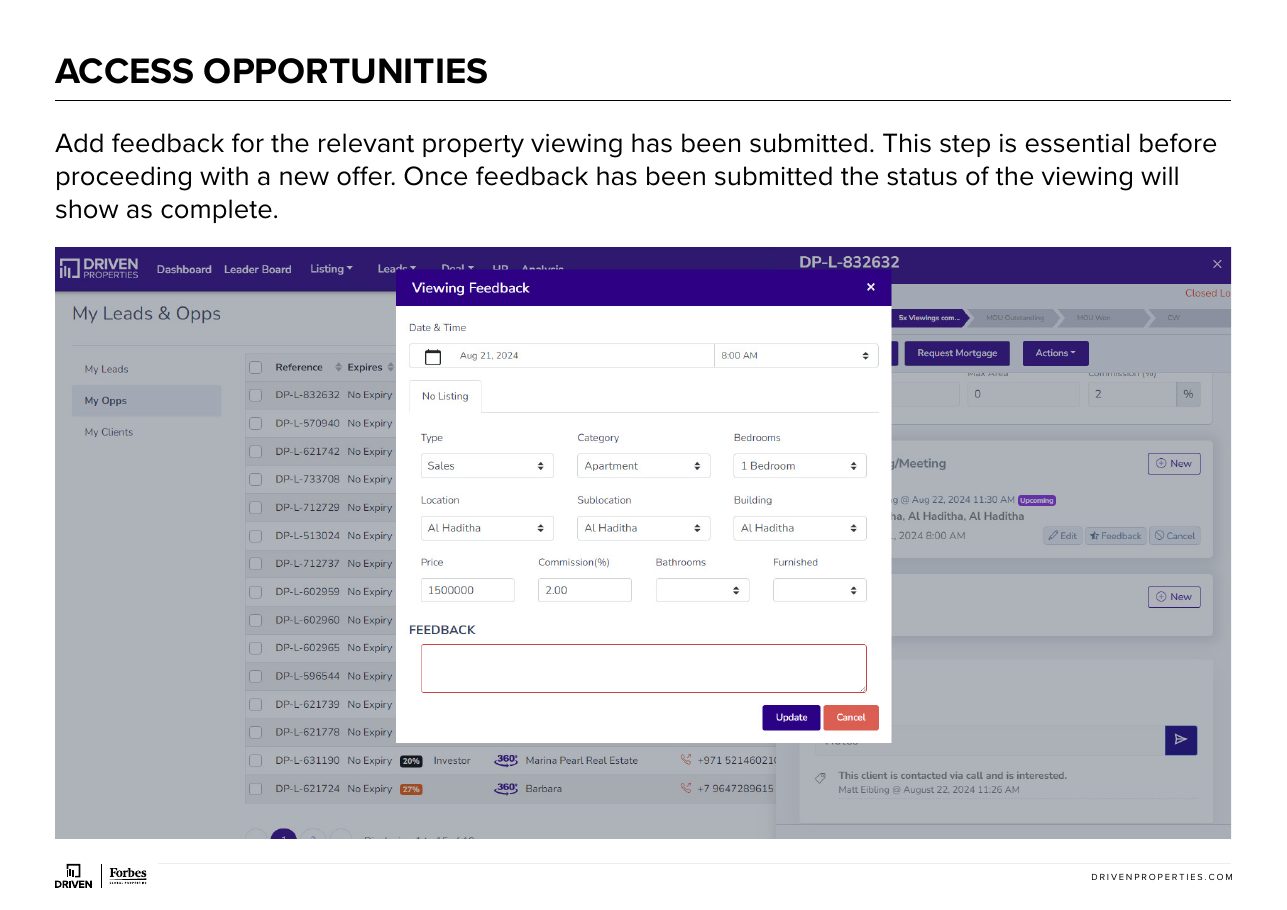
Add feedback for the relevant property viewing has been submitted. This step is essential before proceeding with a new offer. Once feedback has been submitted the status of the viewing will show as complete.
Add a new offer
- 1

- 2
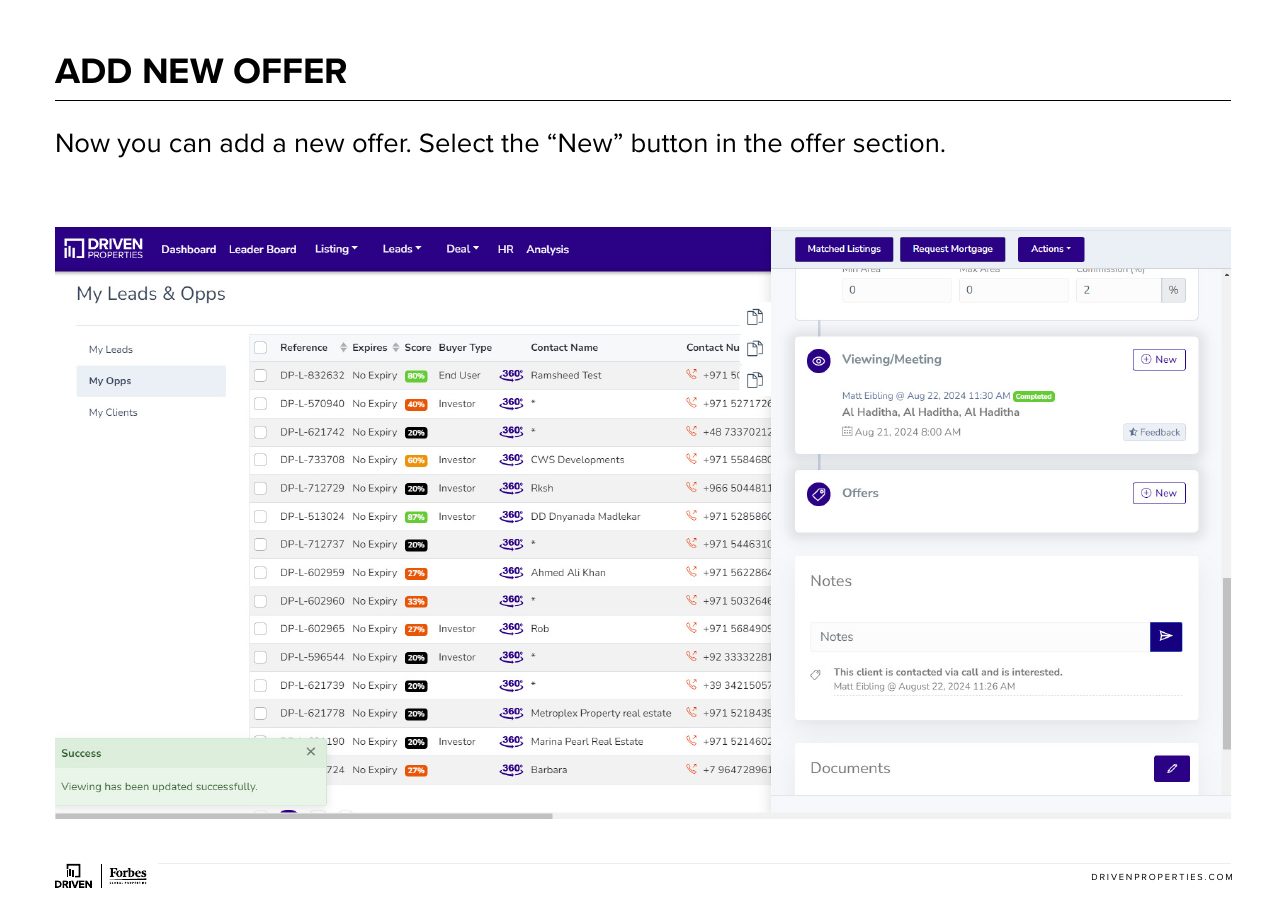
Now you can add a new offer. Select the “New” button in the offer section.
- 3
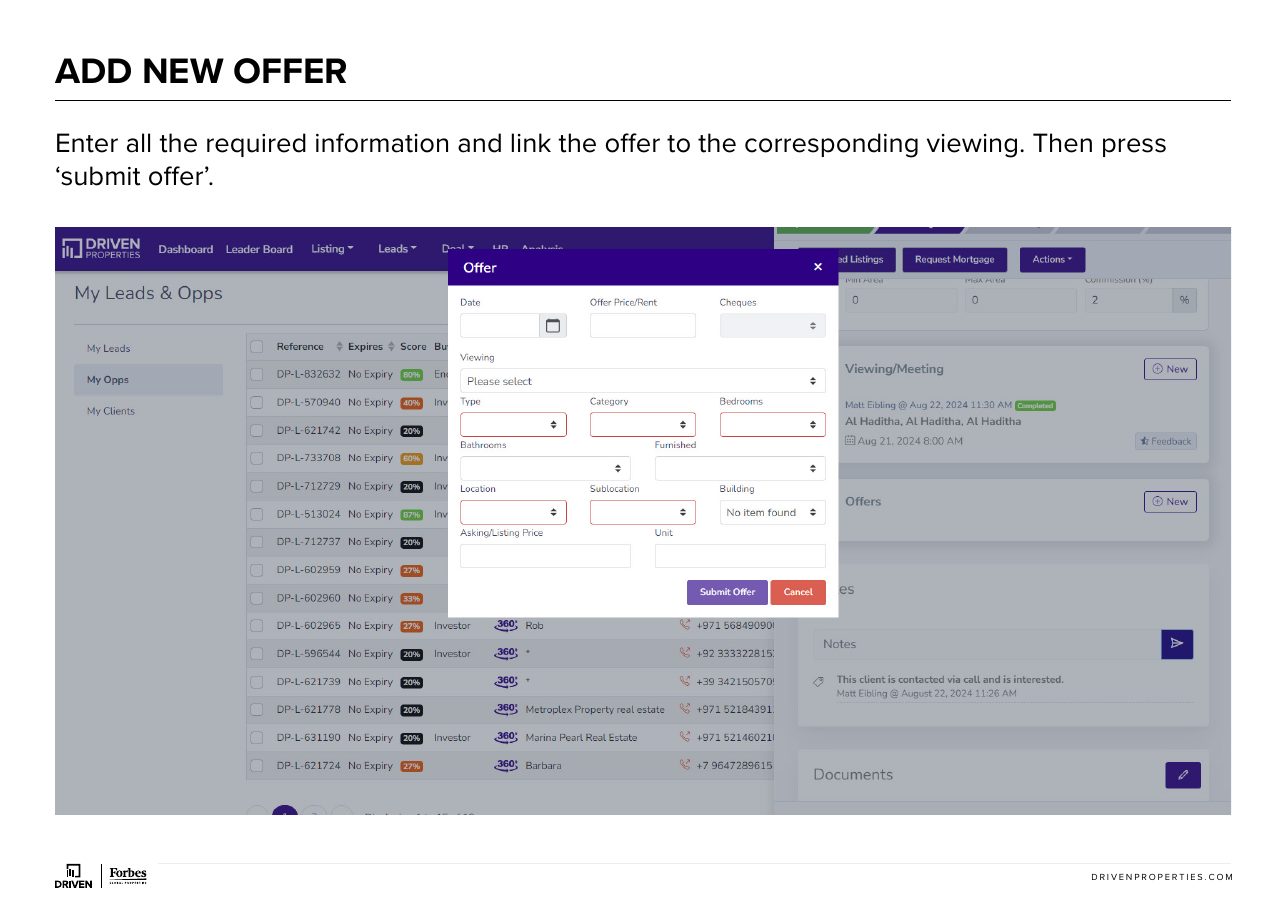
Enter all the required information and link the offer to the corresponding viewing. Then press ‘submit offer’.
- 4
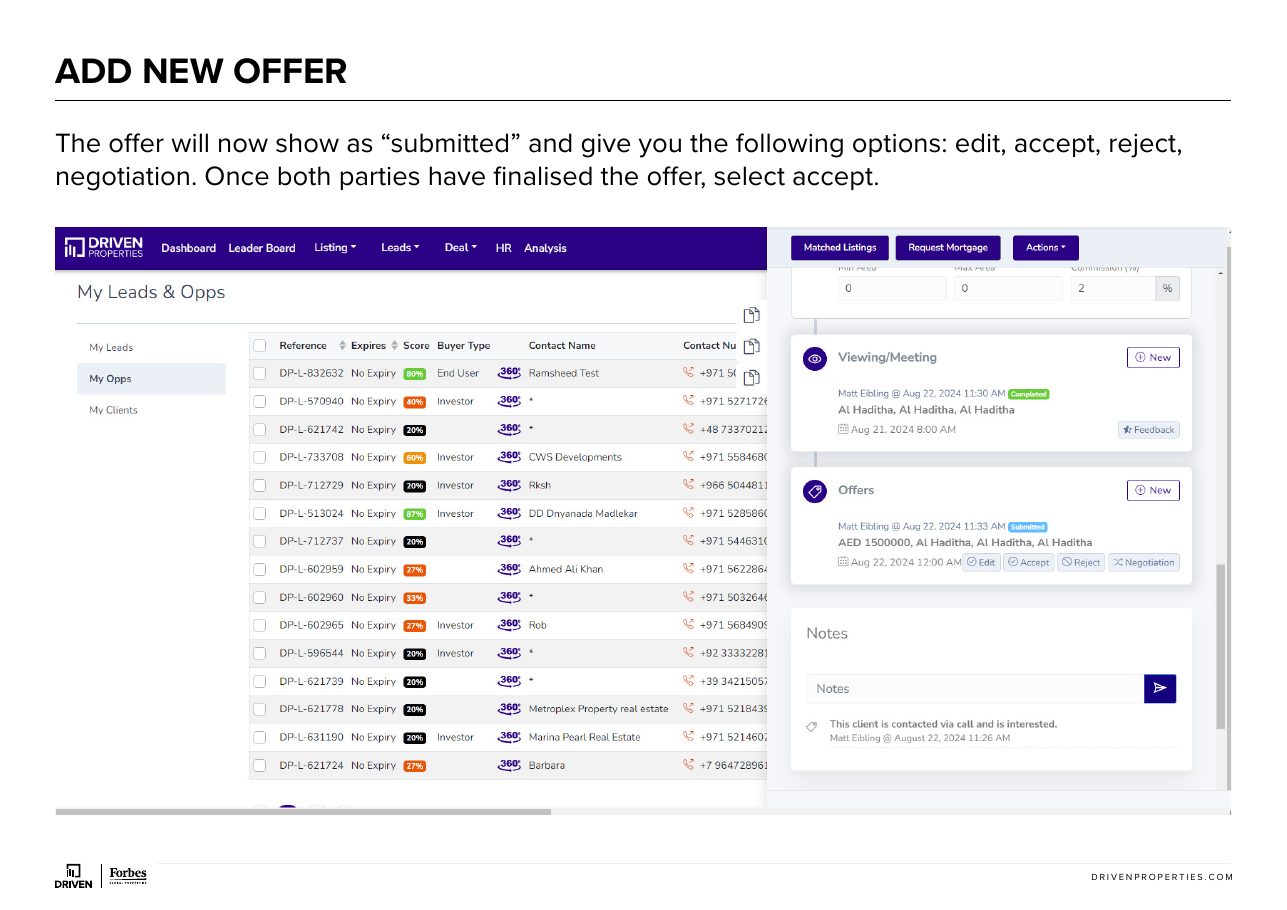
The offer will now show as “submitted” and give you the following options: edit, accept, reject, negotiation. Once both parties have finalised the offer, select accept.
Submit to conveyancing
- 1
It will now show as ‘accepted’ and provide the options to edit, convert to deal or conveyancing. Select conveyancing. A pop- up box will ask you to confirm you want to add this to conveyancing, select add. The status will now show as conveyancing and the offer will transfer to the conveyancing section within CRM.
- 2
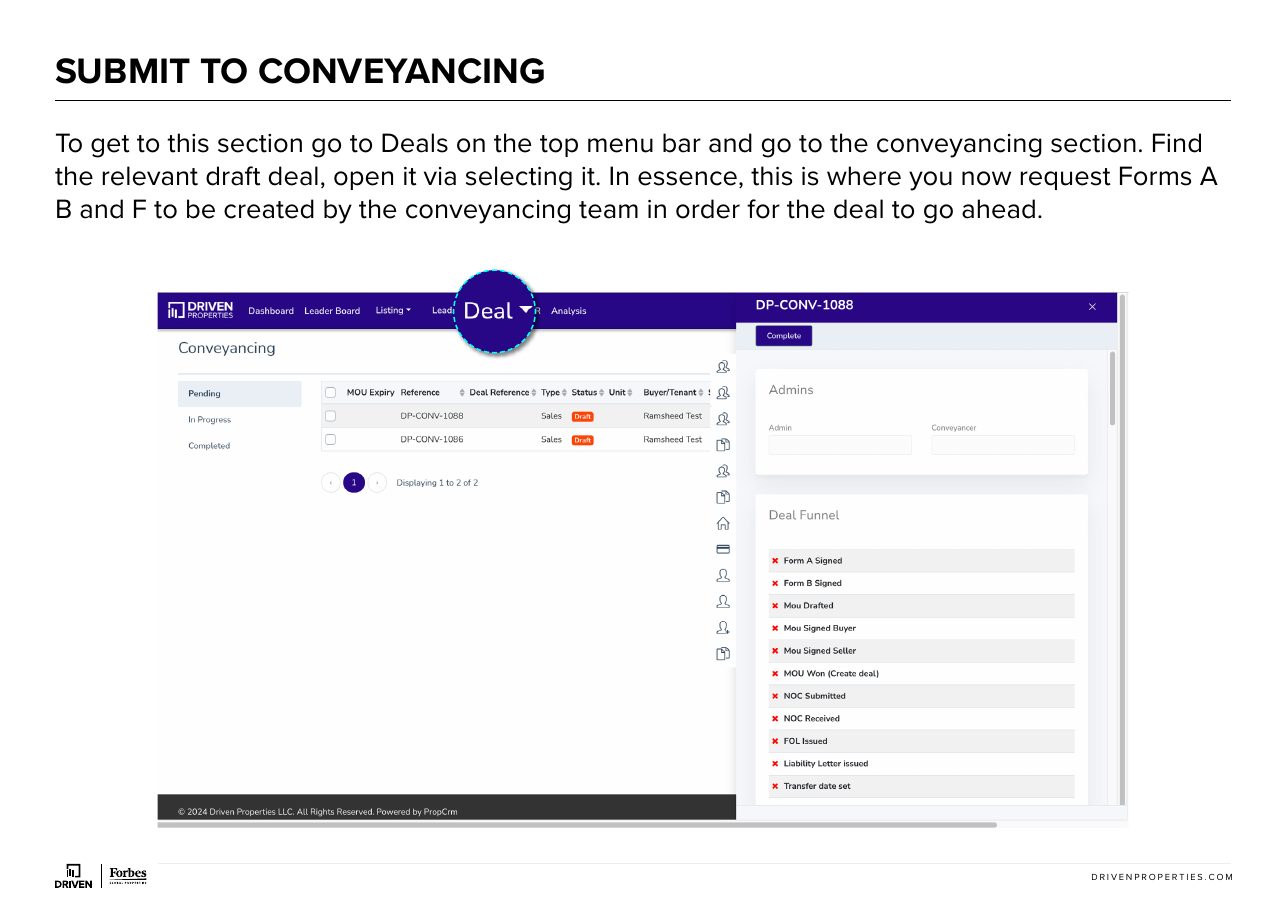
To get to this section go to Deals on the top menu bar and go to the conveyancing section. Find the relevant draft deal, open it via selecting it. In essence, this is where you now request Forms A B and F to be created by the conveyancing team in order for the deal to go ahead.
- 3
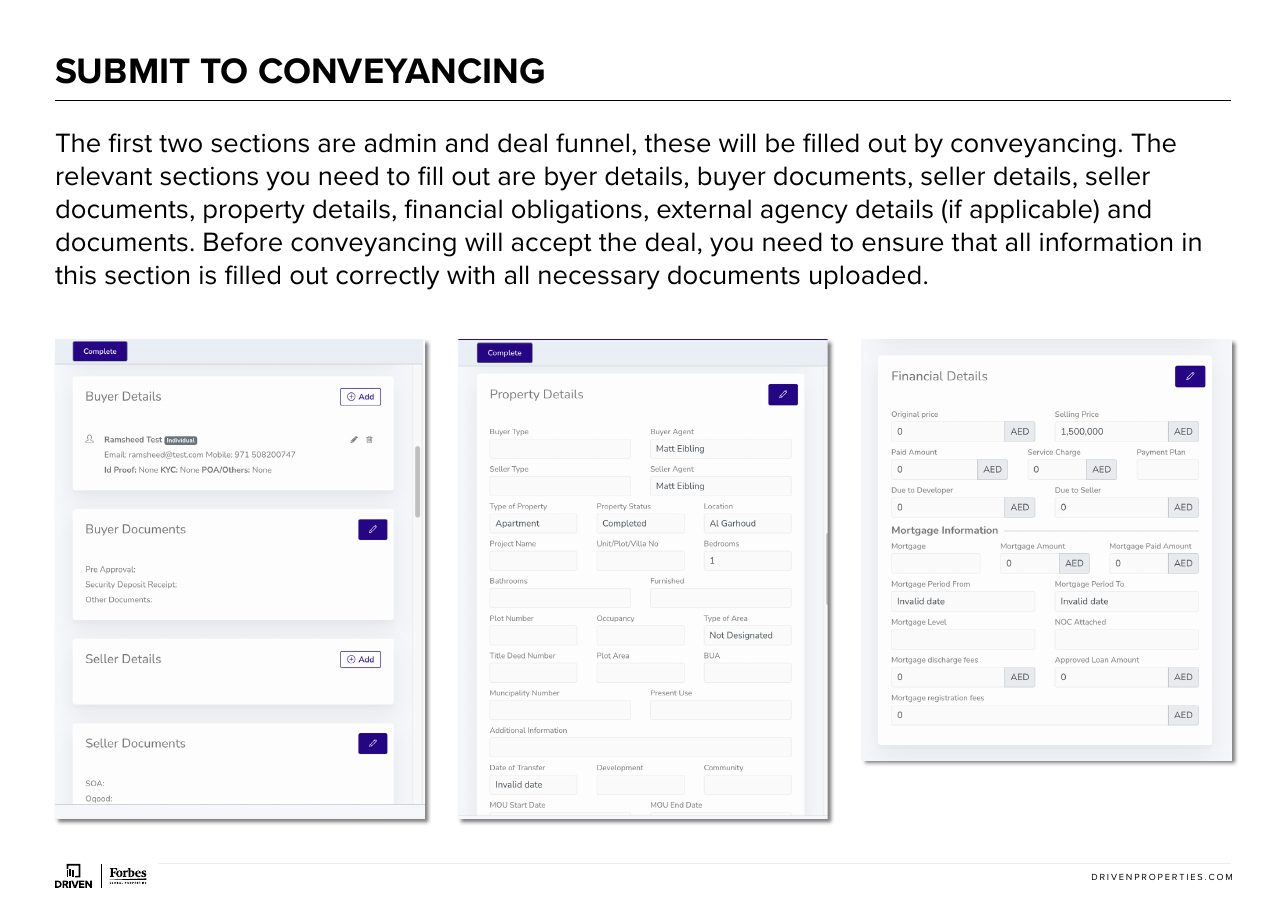
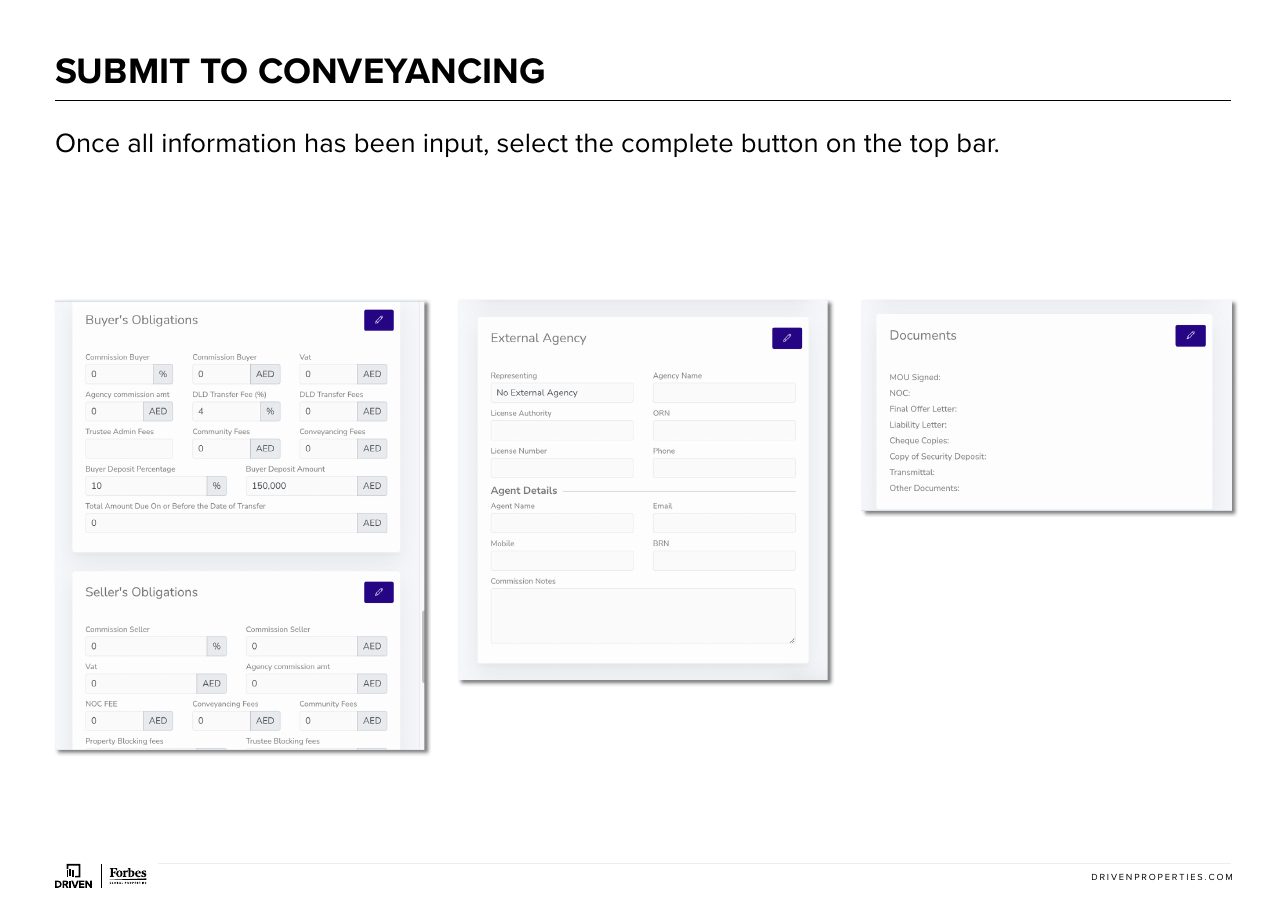
The first two sections are admin and deal funnel, these will be filled out by conveyancing. The relevant sections you need to fill out are byer details, buyer documents, seller details, seller documents, property details, financial obligations, external agency details (if applicable) and documents. Before conveyancing will accept the deal, you need to ensure that all information in this section is filled out correctly with all necessary documents uploaded.
- 4
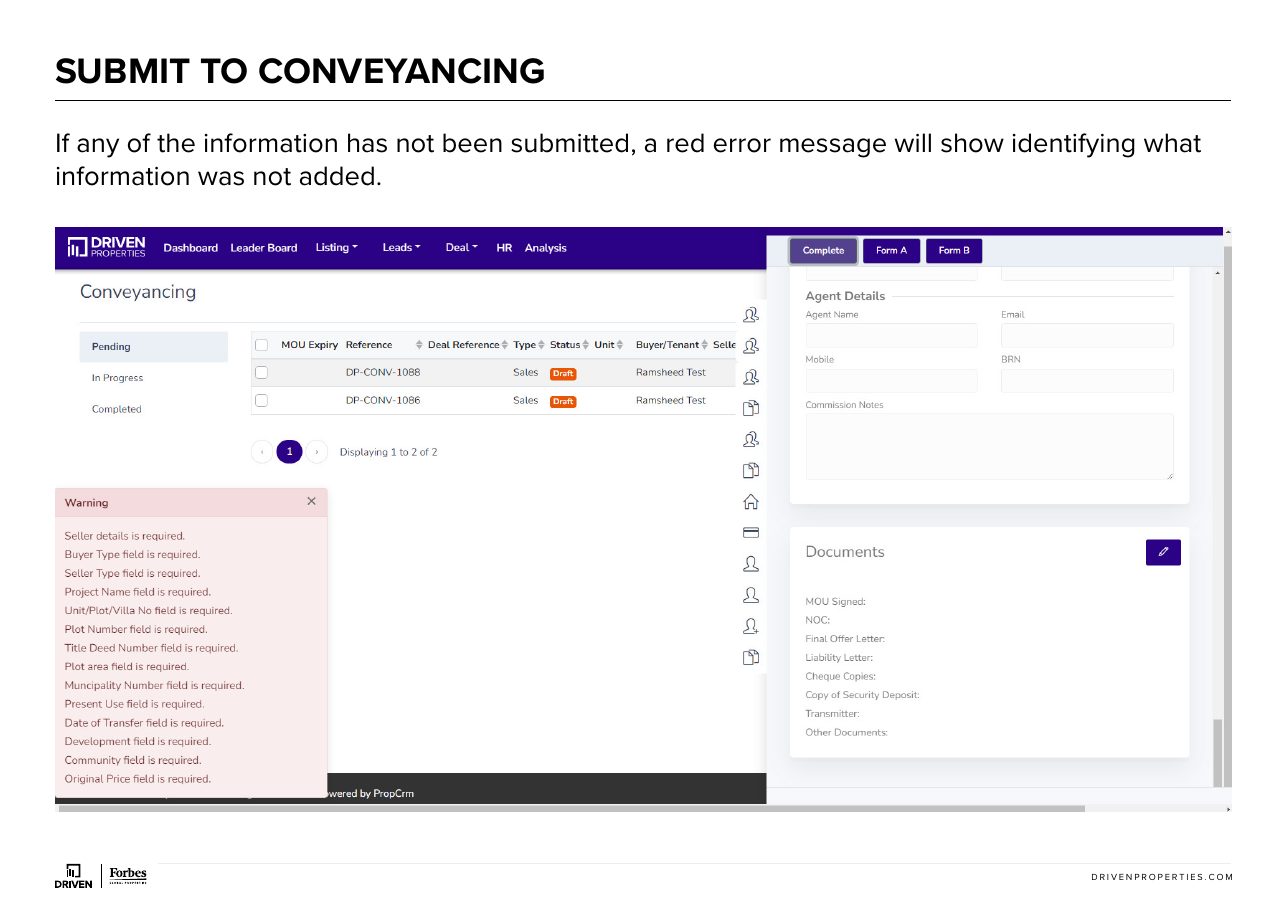
Once all information has been input, select the complete button on the top bar.
- 5
If any of the information has not been submitted, a red error message will show identifying what information was not added.
- 6
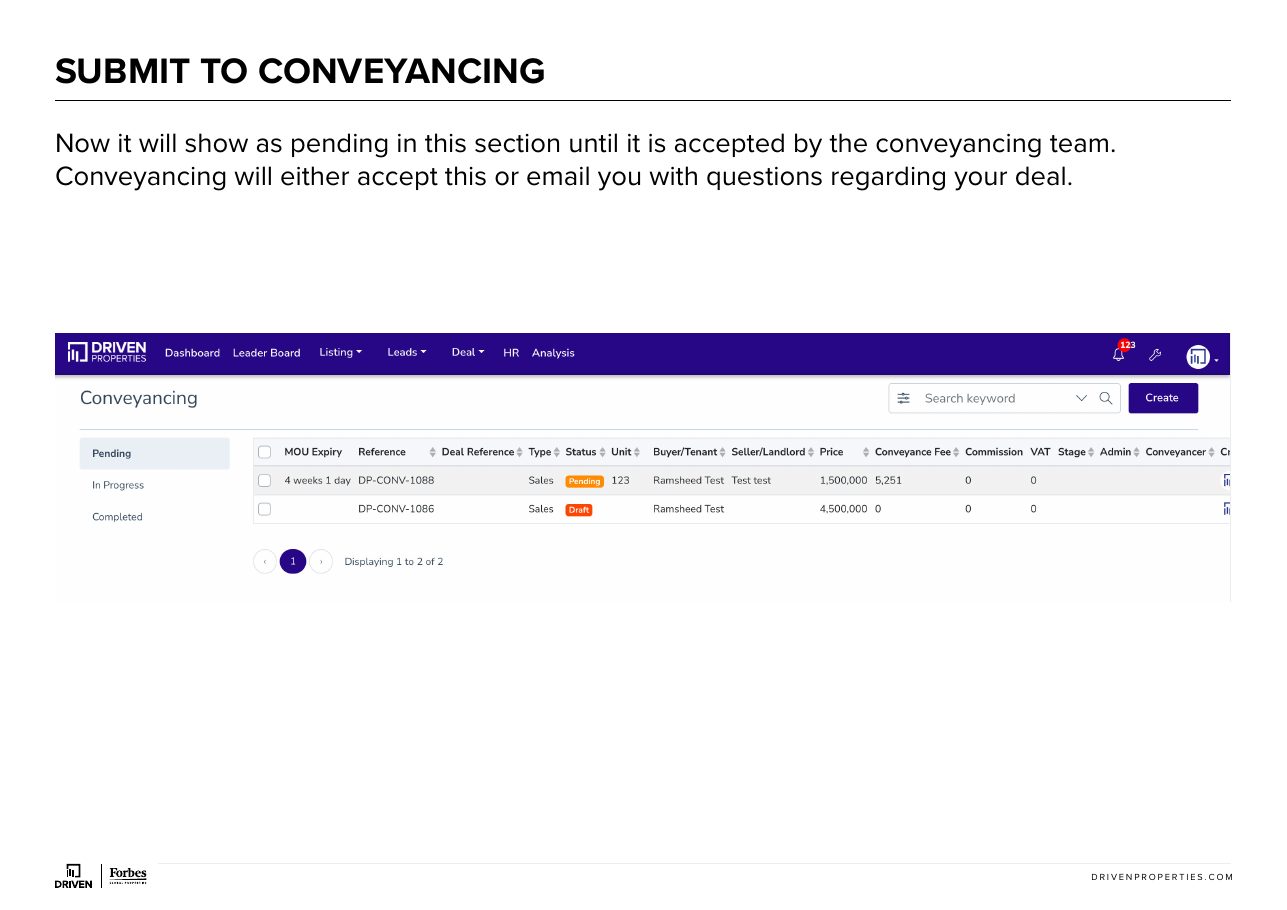
Now it will show as pending in this section until it is accepted by the conveyancing team. Conveyancing will either accept this or email you with questions regarding your deal.
- 7
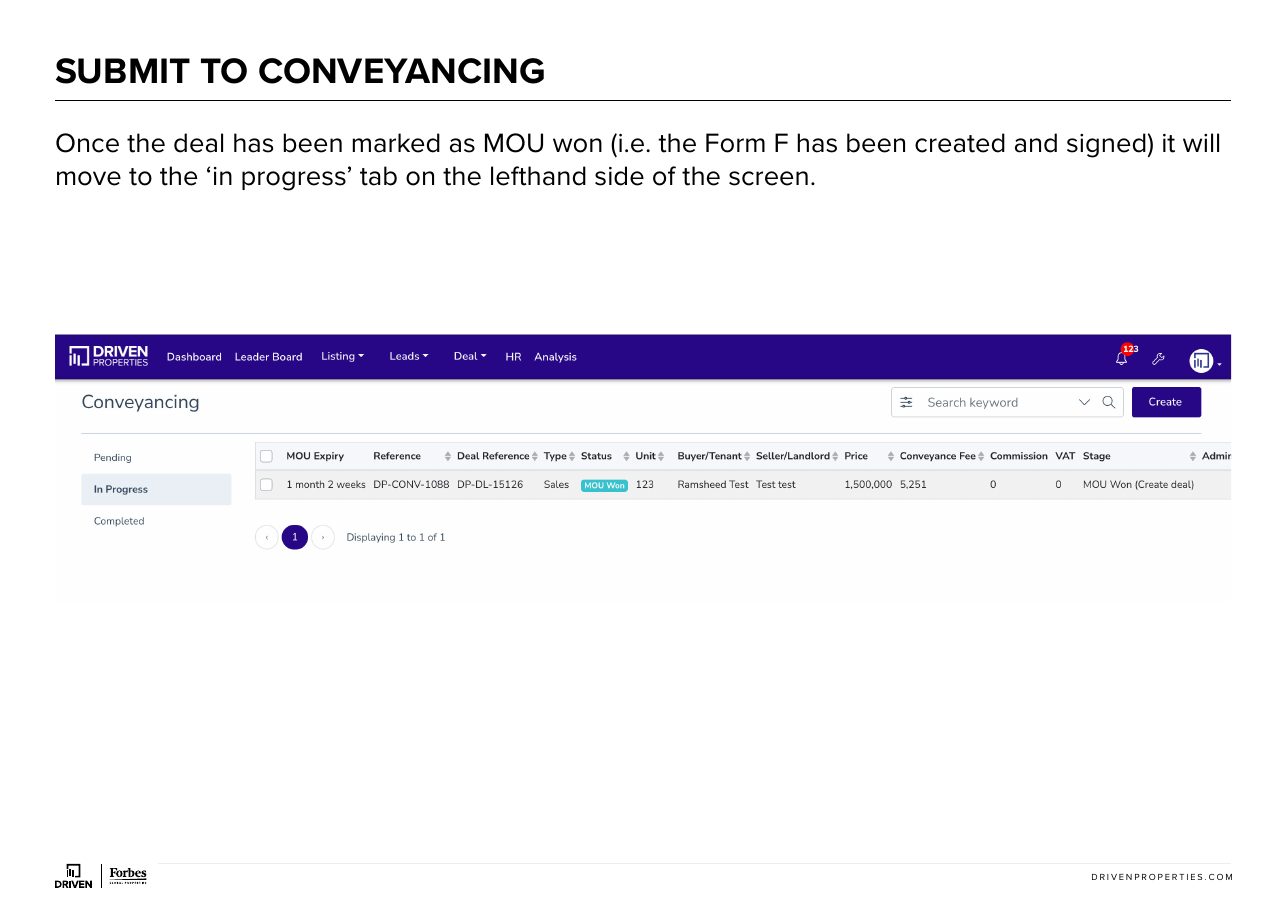
Once the deal has been marked as MOU won (i.e. the Form F has been created and signed) it will move to the ‘in progress’ tab on the lefthand side of the screen.
- 8
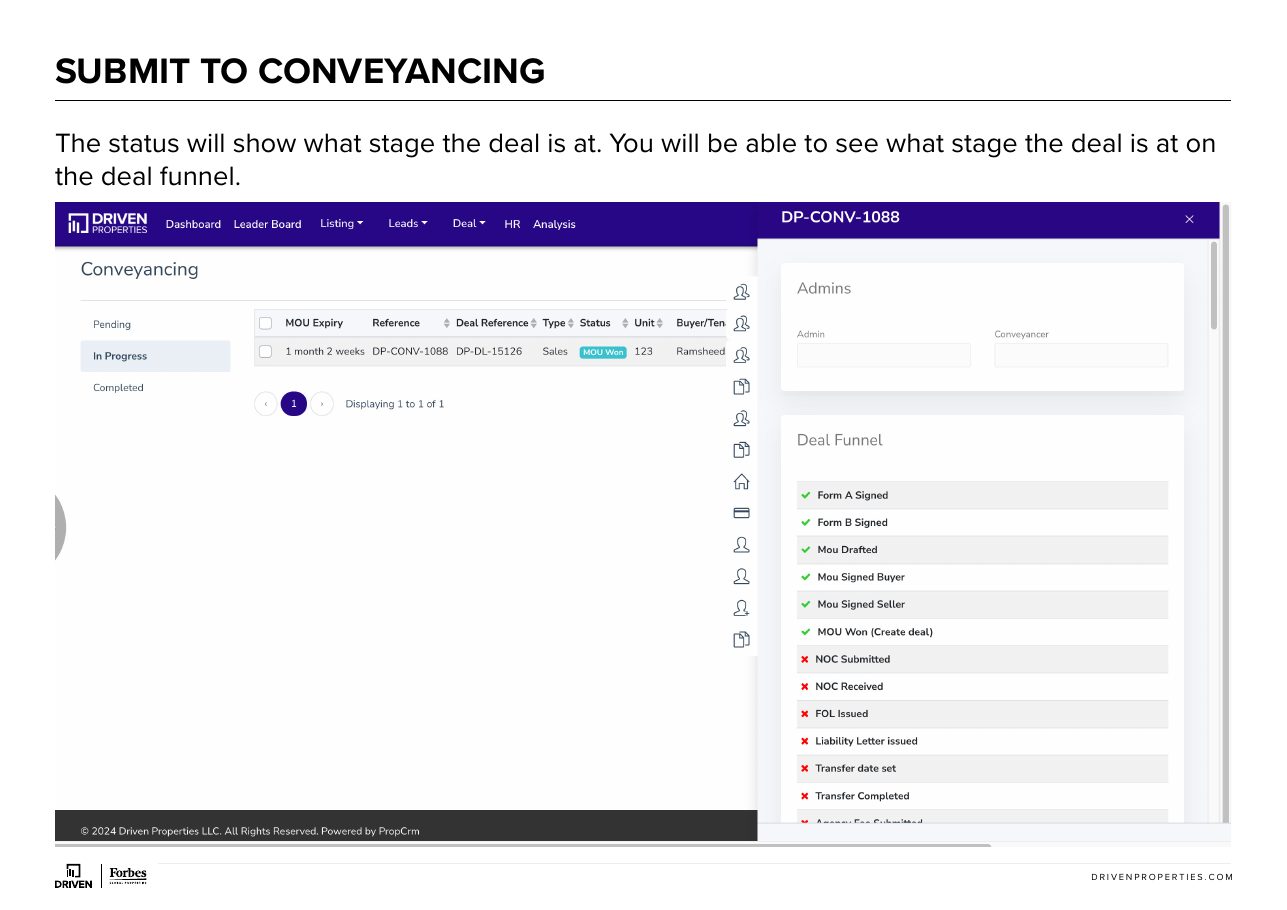
The status will show what stage the deal is at. Y ou will be able to see what stage the deal is at on the deal funnel.
- 9
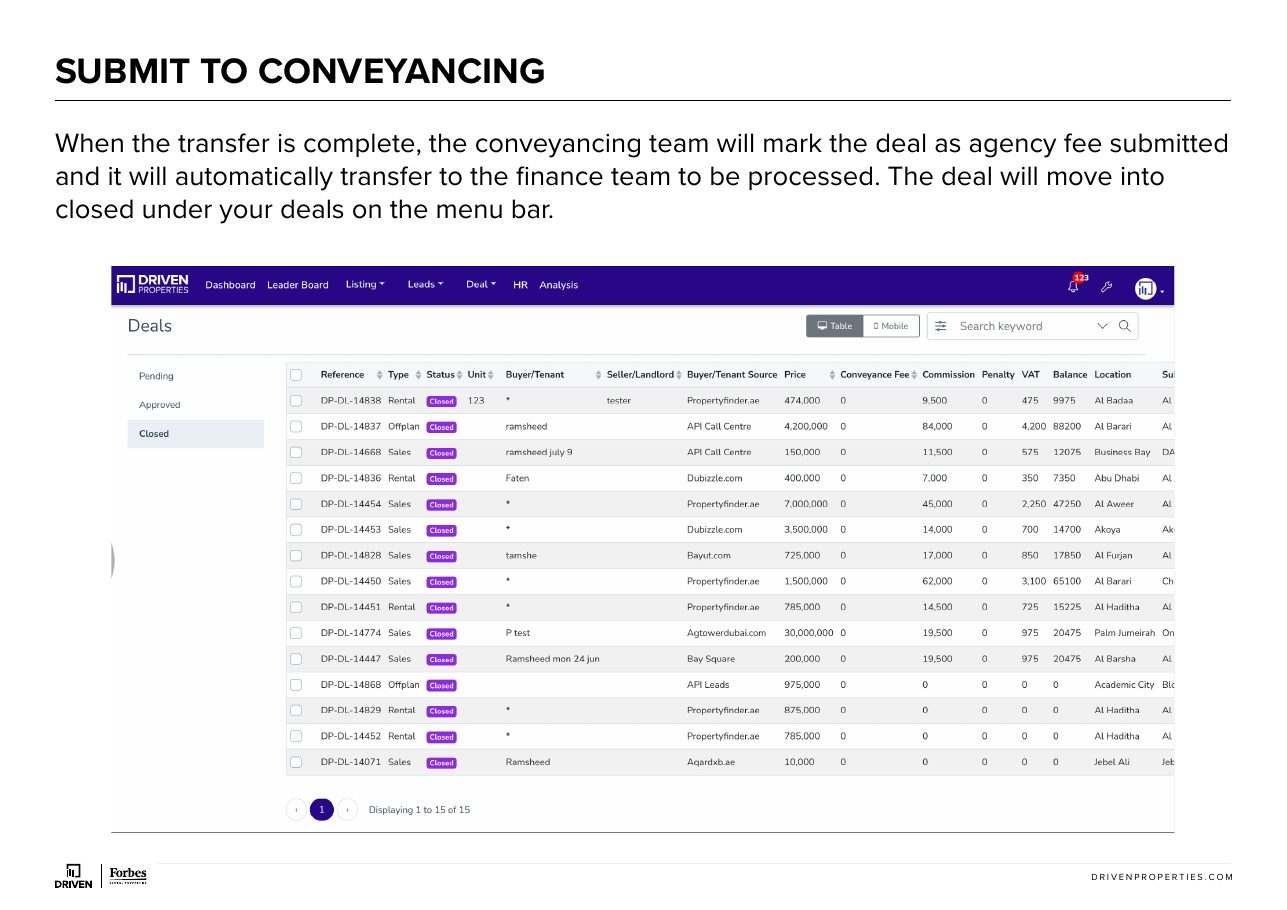
When the transfer is complete, the conveyancing team will mark the deal as agency fee submitted and it will automatically transfer to the finance team to be processed. The deal will move into closed under your deals on the menu bar.
- 10
AGENT VS. CONVEYANCER RESPONSIBILITIES

Agent vs conveyancer responsibilities
- 1
PRE-FORM F RESPONSIBILITIES The agent is responsible for all tasks leading up to the signing of Form F. This includes negotiating the commission and conveyancing fee, collecting the security deposit and obtaining all relevant documents. CONVEYANCING TEAM’S ROLE While the conveyancing team can provide guidance on the terms and conditions of Form F, advising on alternative terms and conditions for ad-hoc cares or transactions. They do not participate in negotiating any of the details, however. POST-FORM F RESPONSIBILITIES Once Form F is signed, the conveyancing team will manage the deal, including client communication (if requested by the agent), applying for the No Objection Certificate (NOC), and arranging the transfer process. AGENT’S PRESENCE REQUIRED Agents must be present at valuations and the transfer appointment. This division of responsibilities ensures clarity and efficiency throughout the process.